Introducing CommandCenter 2.0
Let's start this off with the all-new CommandCenter. The 2.0 version, as we call it, comes with a host of improvements to existing functionalities, enhancements, and a revamped user experience.
CommandCenter is a powerful tool that enables your business to plan, build, and automate complete end-to-end journeys that deliver memorable experiences to your customers.
So what's improved?
We've made CommandCenter more accessible and easier to use with a brand new UI, sleek controls, and easier-to-use builder elements, like Signals.
States are now called stages, and are no longer bound to specific modules, which enables you to house records from multiple modules in each stage in the journey, whereas triggers—now known as signals—enable you to capture events from across various sources, including standard, integration, and custom sources. You can use custom signals to capture highly specific actions/events from anywhere in your organization and move records from one stage to another.
Enhancements to Canvas: Grid components, breakpoints, and tab focus direction
The updates keep rolling in for Canvas, which give you more freedom to customize and personalize your CRM experience. Let's look at what we have in store for you:
Grid component
First off, we're adding a grid component in Canvas, which is a component that displays a grid that acts as a guide for placing data where and in which visual proportions you want.
Any data you place on the grid snaps on to the component, eliminating the need to drag and align data elements manually. Gutter spacing helps provide visual balance between elements added to the grid.
Breakpoint width
We're also adding the ability to define a breakpoint width, which enables you to make your canvas view responsive to screens of different sizes and resolutions.
You can add grids within the grid component and set nested breakpoint widths to render a smooth responsive design, as well as use breakpoint widths to emphasize key data and make it easily accessible.
Tab Focus Direction
You may have created a custom form view in Canvas to move away from Zoho CRM's default two-column form views—but that would have changed the way you navigate between fields as well.
To make navigating easier, we're adding a feature we're calling Tab Focus Direction, which enables you to choose which direction you move in when you press the tab key. You can also move back to where you moved from using the shift + tab command. This directional focus can be applied to specific containers in your canvas view or to the entire page.
Explore the latest enhancements to Canvas
Enhancements to Cadences: WhatsApp support, new limits, and more
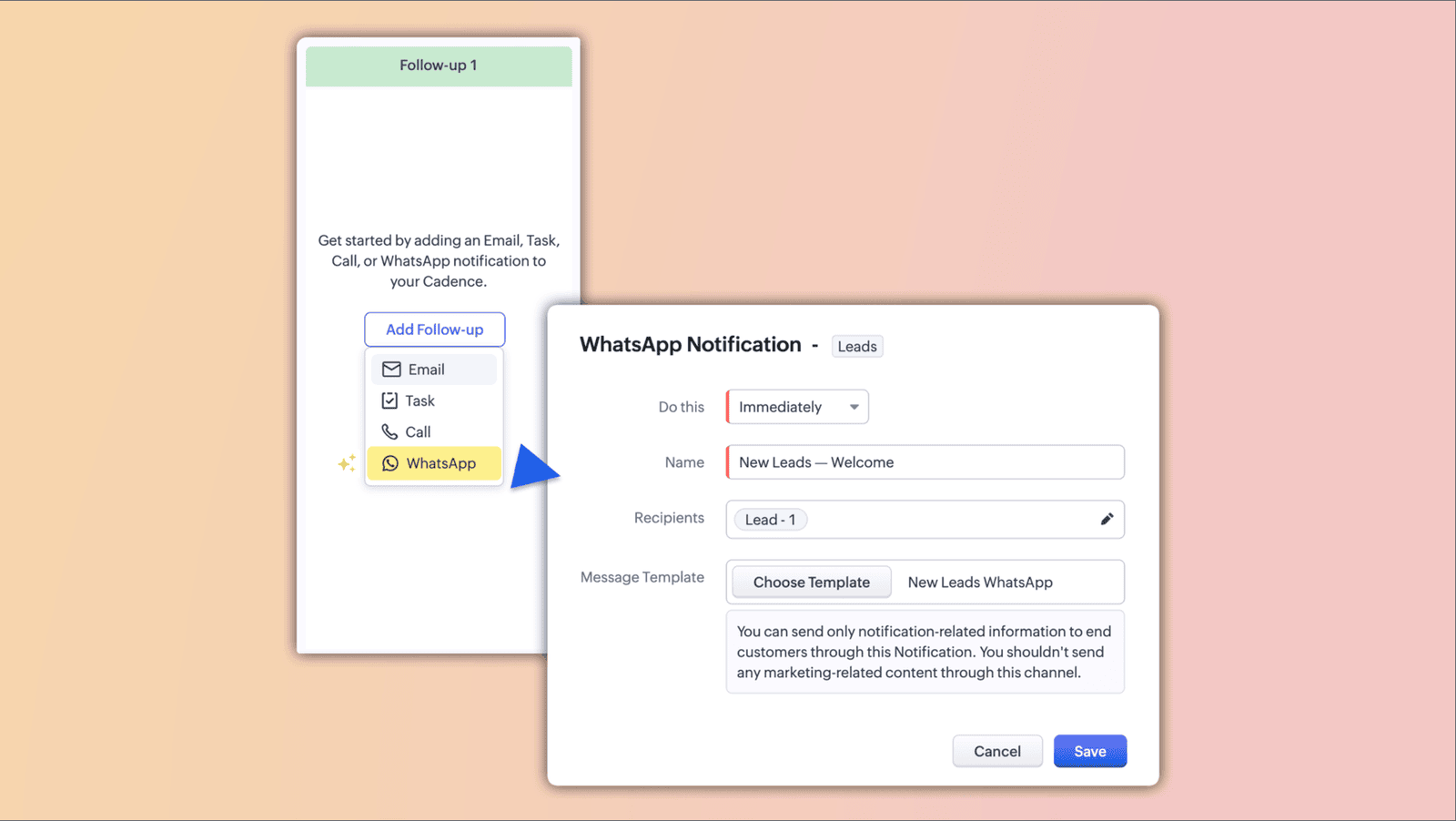
Automating follow-ups at scale has never been easier than with Cadences in Zoho CRM. Cadences is a feature that lets you build sequential follow-ups, automatically enroll and un-enroll into/out of sales cadences based on pre-defined criteria, and create a strong nurturing flow.
Businesses need to be able to connect with prospects via all available channels when engaging them in the buying process, and for most modern customers, WhatsApp is a key channel.